
How to Integrate Ultra Dynamic Sky into RPG Engine
To add Ultra Dynamic Sky to the project:
Add the Ultra Dynamic Sky files to the project. You can simply copy all files from the UDS package into the
UltraDynamicSkyfolder, or move them in any other convenient way.Remove old lighting and atmosphere actors from your level. Before using UDS, delete existing light sources, fog, sky, and other atmosphere-related actors from the map to avoid conflicts with the asset.
Update the component code.
Make the following changes:
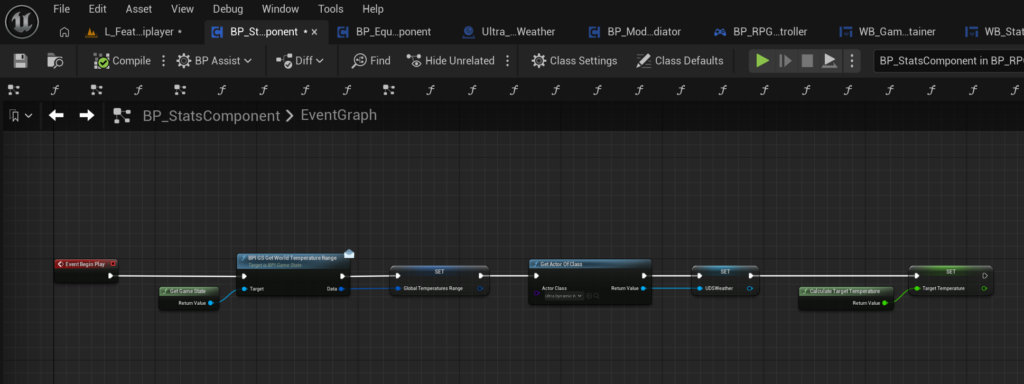
Add the logic shown in your Begin Play setup screenshot.
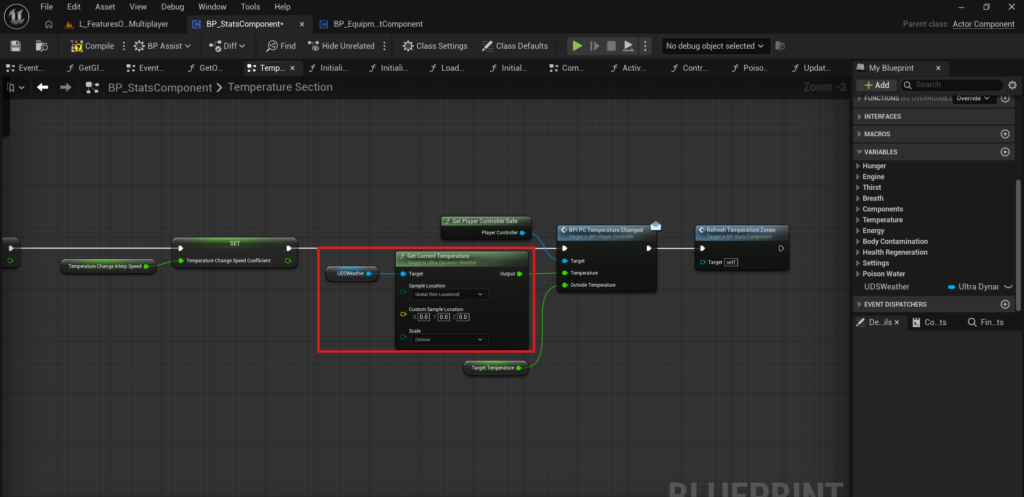
Update the function according to your Client_ResetTemperatureData screenshot.
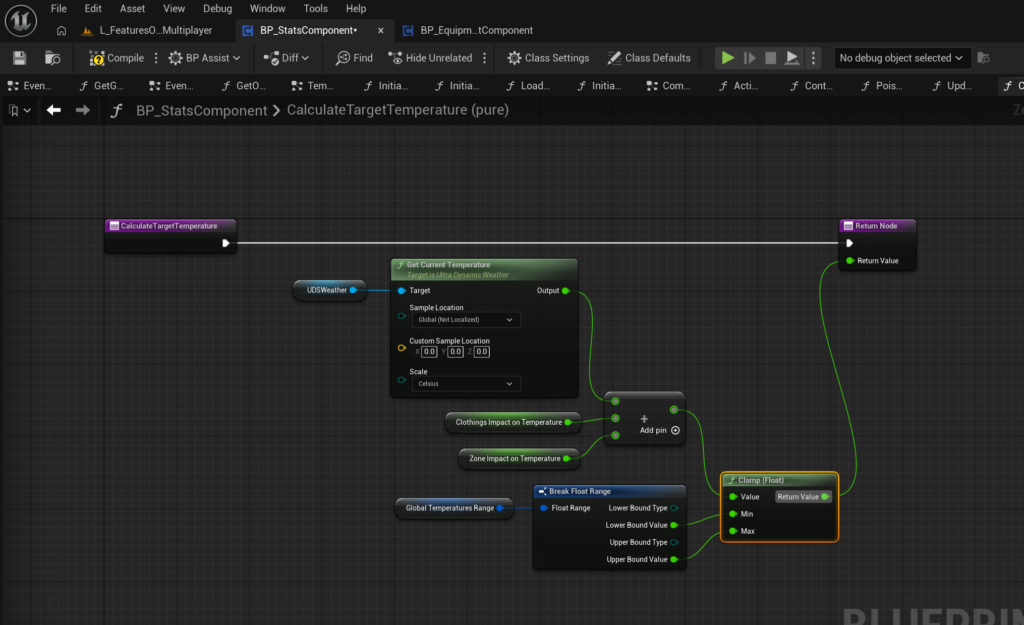
Update the function according to your CalculateTargetTemperature screenshot.
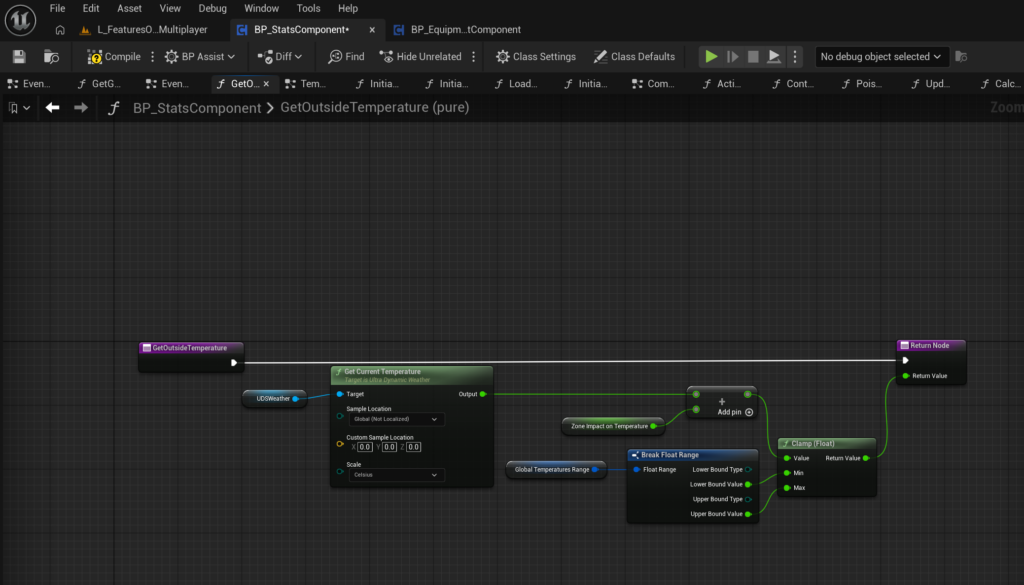
Update the function according to your GetOutsideTemperature screenshot.
Add UDS actors to the level.
Place these actors on the scene:
Ultra_Dynamic_SkyUltra_Dynamic_Weather
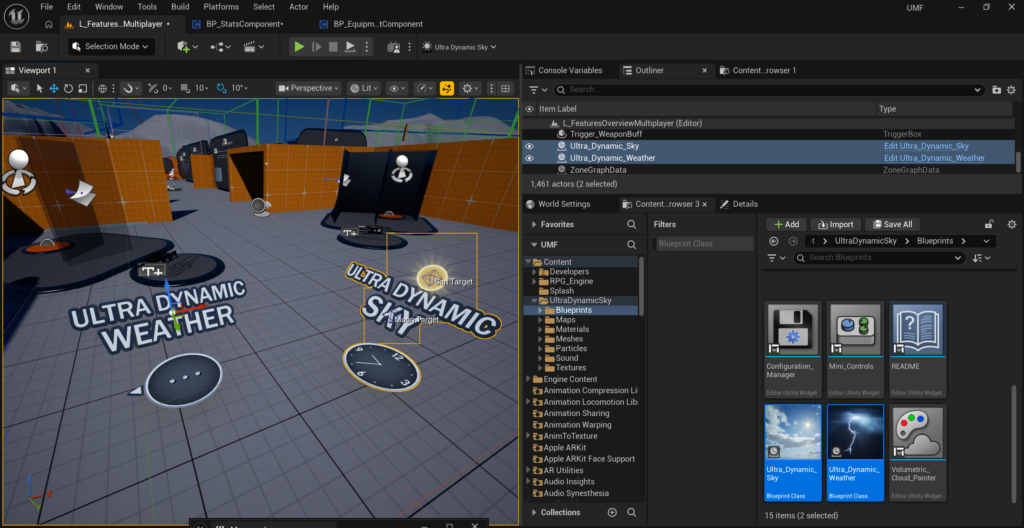
After that, Ultra Dynamic Sky will be integrated into the RPG Engine project.